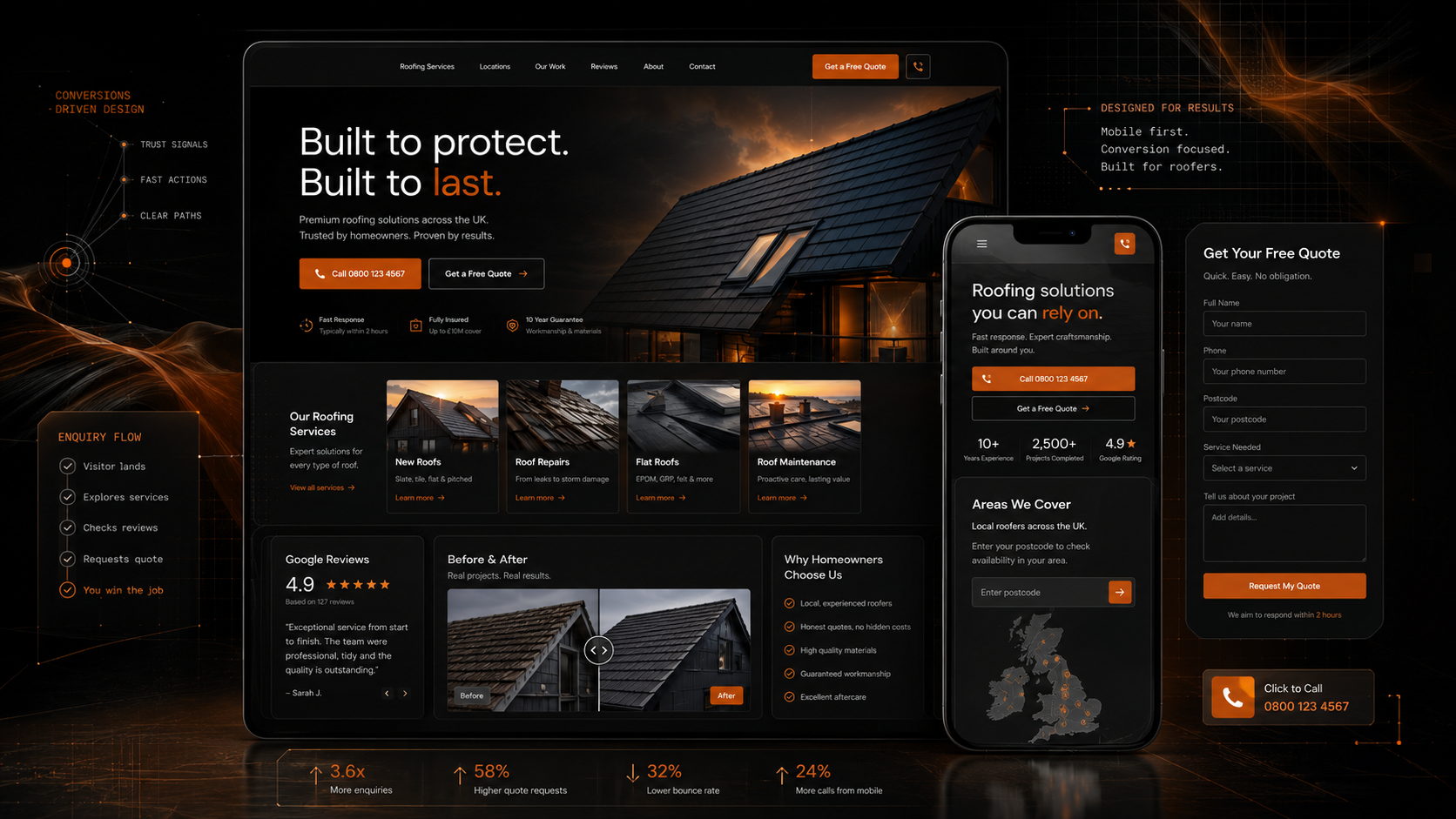
Turn roofing enquiries into booked jobs.
Roofware helps roofing businesses capture, qualify, and convert more leads with AI calls, smart booking, and automated follow-up.
Built for roofers
UK-based setup
GDPR-aware flows
Solutions
Roof repairs
Flat roofs
Fascias & soffits
Leak detection
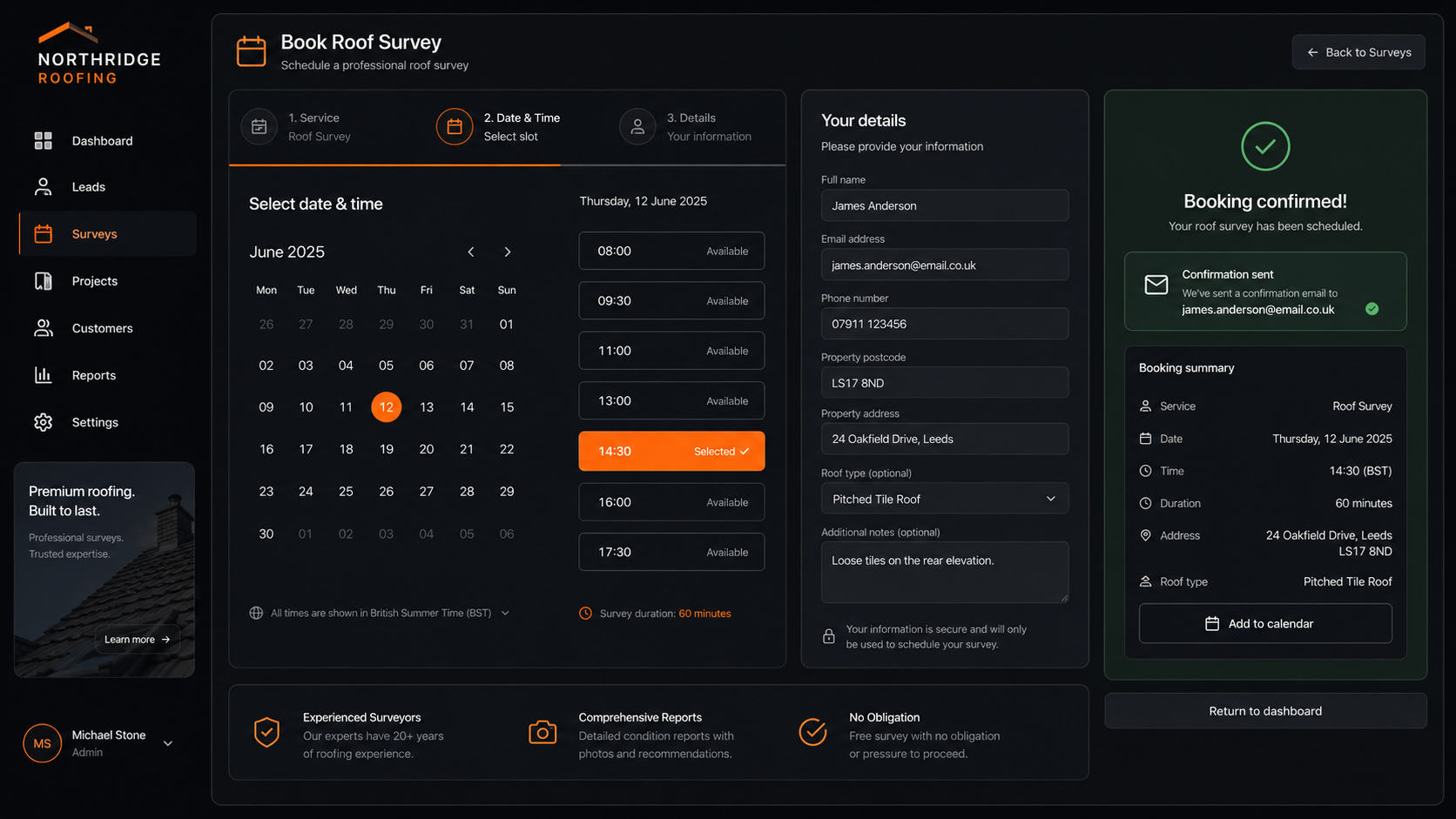
Survey booking
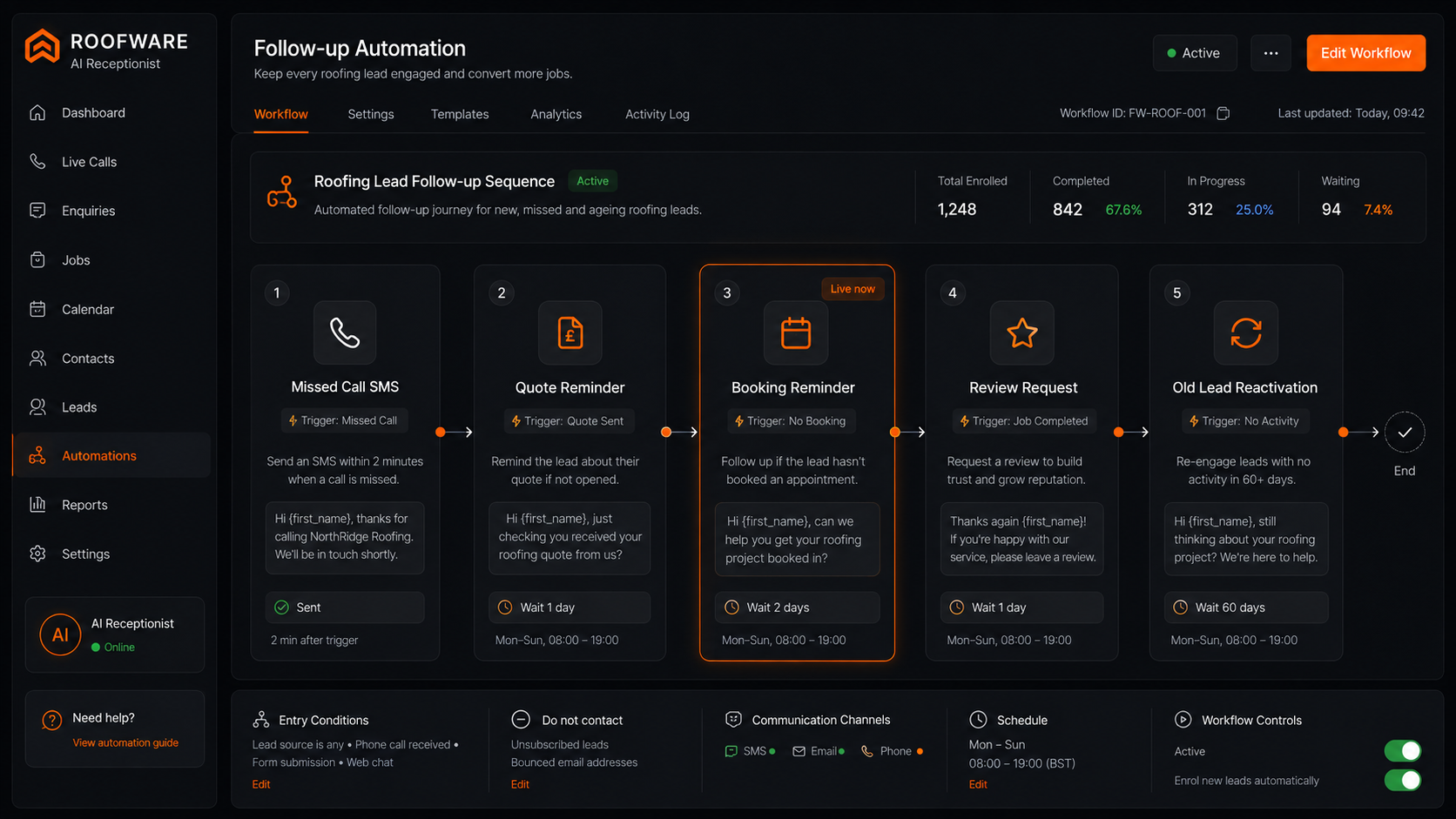
Quote follow-up
AI receptionist
Missed-call recovery
New roofs
Commercial roofing
Roof repairs
Flat roofs
Fascias & soffits
Leak detection
Survey booking
Quote follow-up
AI receptionist
Missed-call recovery
New roofs
Commercial roofing
Solutions
Roof repairs
Flat roofs
Fascias & soffits
Leak detection
Mirror how your roofing team works
Mirror how roofing enquiries actually happen
Postcode
Job type
Urgency
Preferred time
Enquiries rarely arrive neatly
Roofing leads come through calls, forms, emergency requests, old quotes, and customers who need answers fast. Roofware gives those enquiries a system: capture the details, qualify the job, book the survey, and follow up automatically.
View booking workflowLead handling without the admin
Lead handling without the admin
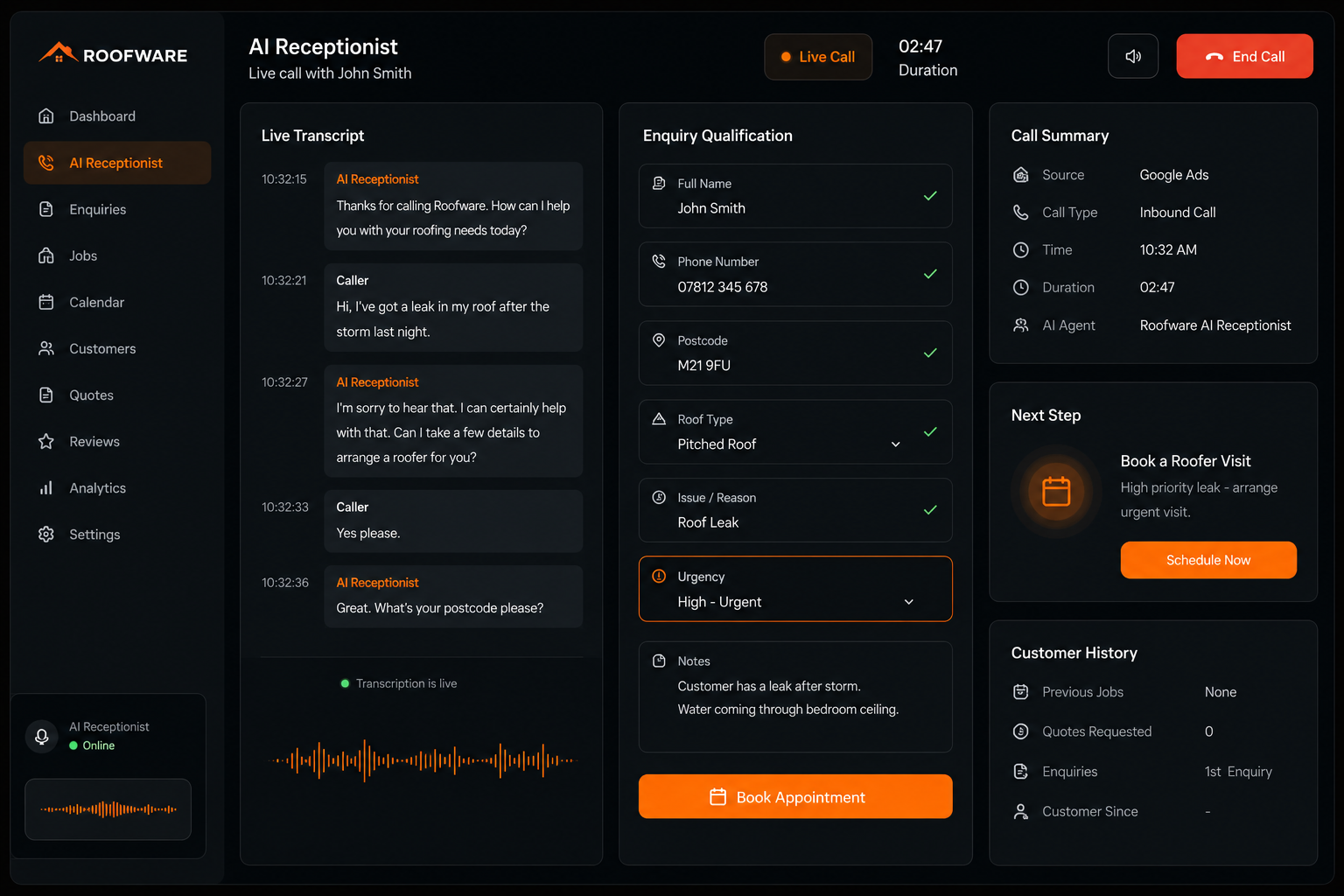
Your AI receptionist can answer calls, ask the right questions, handle common customer queries, book appointments into your calendar, and send confirmations while your team is on the roof, on the road, or with another customer.
Answer call
Qualify lead
Check availability
Book survey
Send confirmation
Trigger follow-up
Workflow proof
From first call to booked appointment
Website, phone, and calendar
One roofing enquiry system across every channel
Roofware connects your website, AI receptionist, Calendly, Google Calendar, and follow-up automations into one simple flow. No scattered leads. No forgotten calls. No manual chasing after every enquiry.
Connected flow
See connected flow
Website forms
Phone calls
AI receptionist
Calendly
Google Calendar
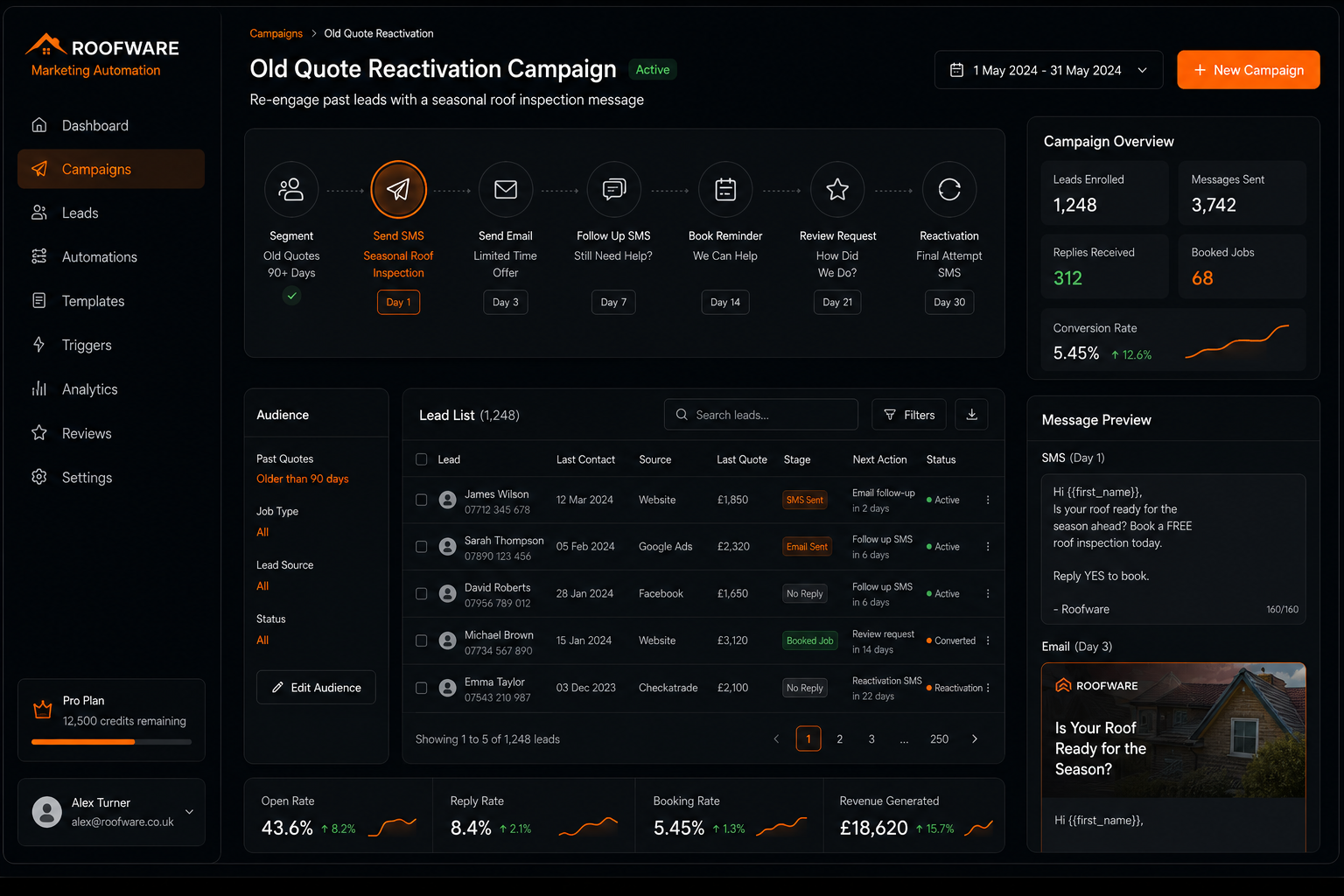
SMS follow-up
Email follow-up
Everything your roofing company needs in one place
Everything you need to capture, qualify, and book roofing enquiries
Roofware gives UK roofing companies the digital front office they need: a website built to convert, an AI receptionist built to respond, and automations built to keep leads moving.
Proof without the guesswork
See the system before you commit
Roofware is built to prove the workflow clearly. Try the AI receptionist, see how a roofing enquiry is handled, and understand exactly how a customer moves from first contact to booked survey.
Demo proofTry the AI receptionist live
Workflow proofSee the booking journey
Problem proofIdentify where leads are being lost
Specificity proofBuilt around roofing enquiries, not generic business leads
Reliable enough for daily roofing enquiries
Built for the way roofing companies actually work
Roofware is designed to be practical from day one. It helps your team respond faster, reduce admin, book surveys, and keep customers informed without forcing you into a complicated system.
24/7 call answering
Human handoff when needed
Calendar-safe booking
UK roofing focus
GDPR-aware setup
Simple onboarding
Book setup call
Less chasing, more booked surveys
Less chasing. More booked surveys.
Start with a simple Roofware setup: a roofing website that converts, an AI receptionist that answers, and a booking flow that keeps enquiries moving.
Try AI Receptionist
Pretend you are a roofing customer and ask about a leak, repair, or quote.
roof leak enquiry demo
Book Setup Call
Map your current calls, forms, calendars, and follow-up steps.
setup call workflow
Build The Flow
Connect the website, AI receptionist, calendar, and follow-up automations.
website -> receptionist -> survey